Open source · Windows · macOS · Linux
tlbx.ai
Coding agents and terminals. Any browser.
Run your terminals and coding agents on your own computer. Open them from a desktop, tablet or phone. Close the browser or switch devices; your work keeps running while the host stays awake and online.
Free and open source. Install once on the host; connect through your LAN or VPN.
What you can do
Three reasons to install tlbx.
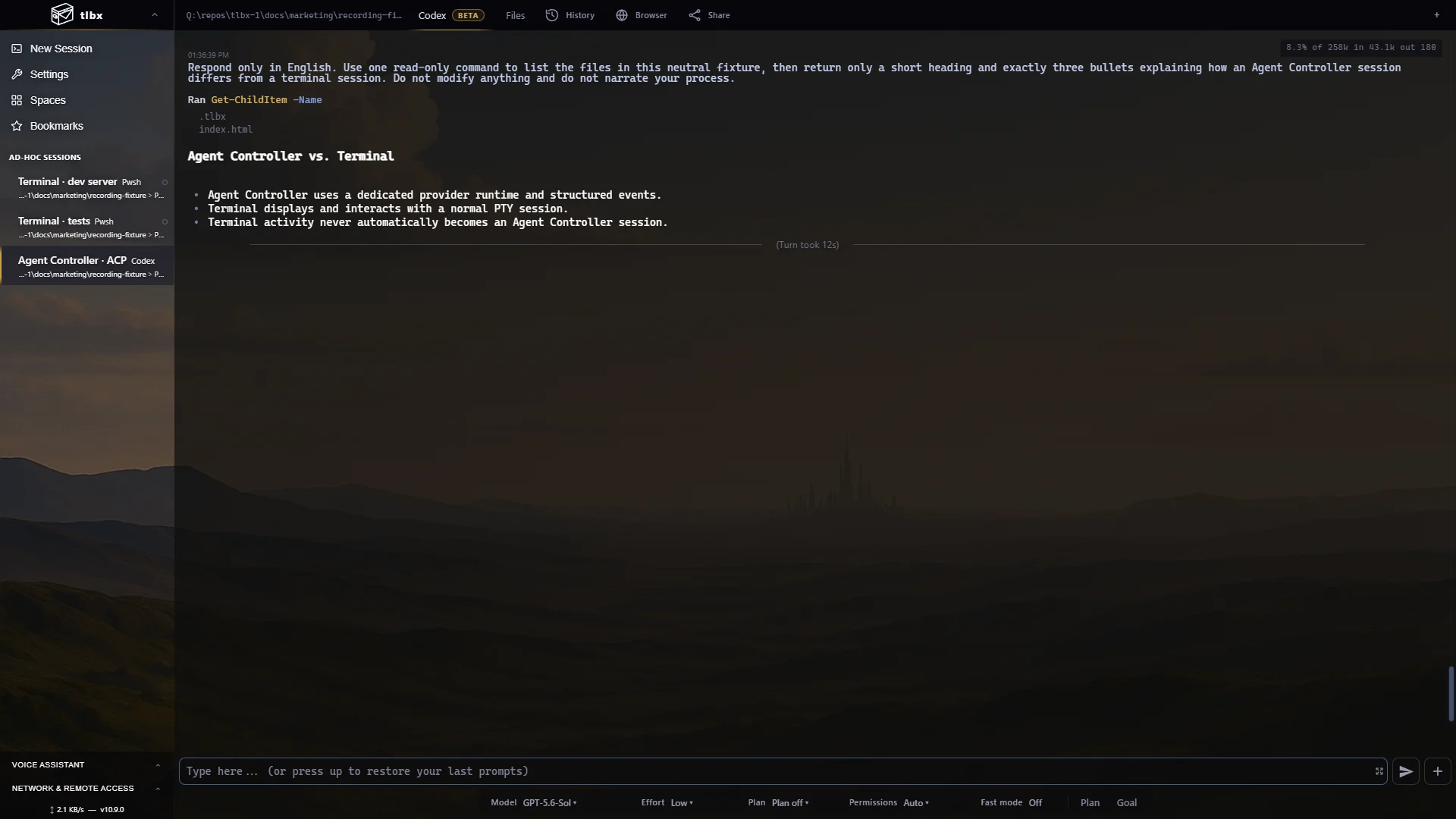
Two session types · one workspace
Choose how you work with each tool.
Terminal SessionYour usual shell, editor, coding agent or dev server.
Agent Controller SessionA conversation view with tool calls, code changes and approval buttons for supported agents.
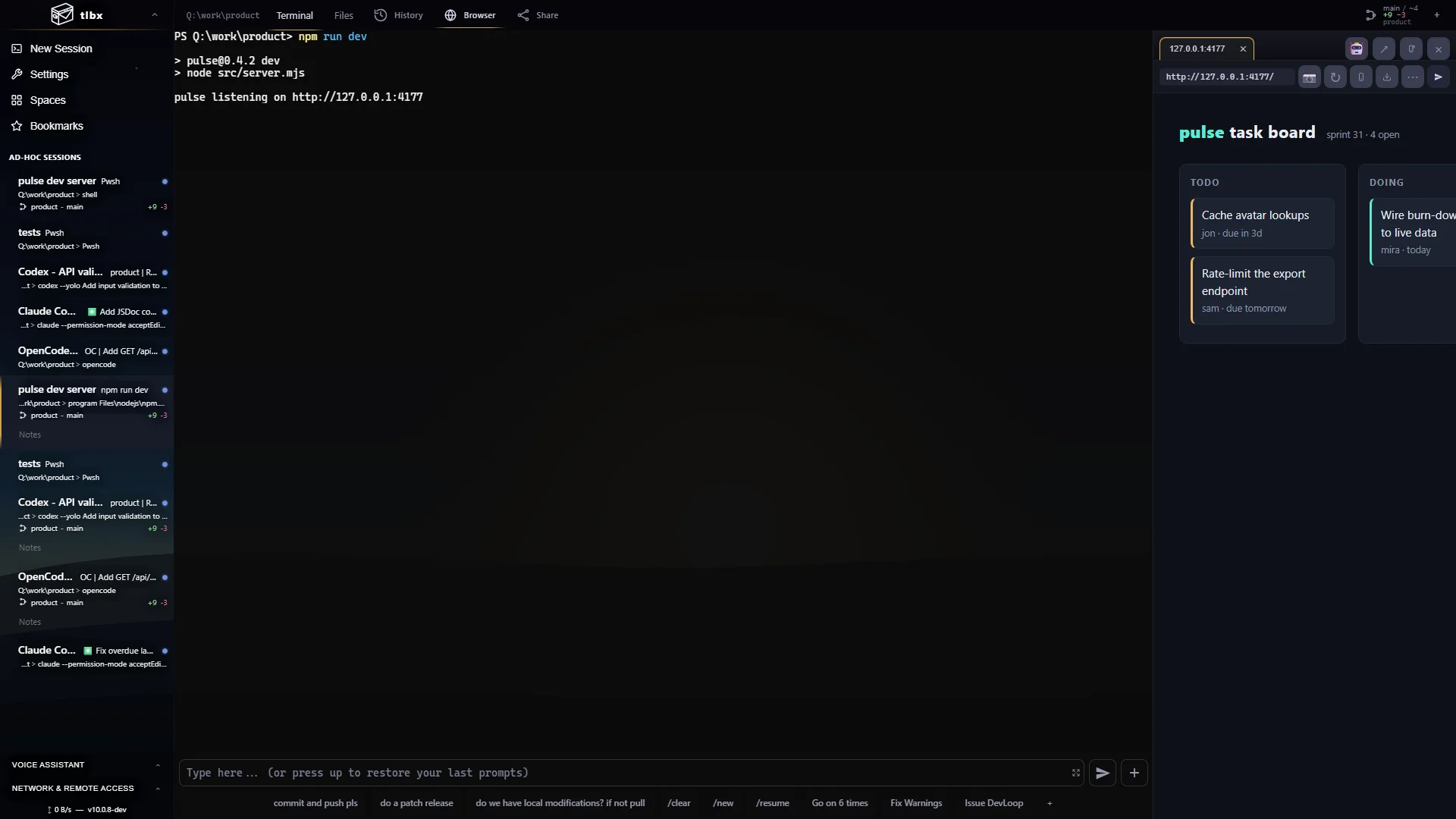
Check what your agent built
Your app beside your agent.
Open your running app beside the terminal. Review files and Git changes, inspect browser errors, or paste a screenshot into your next prompt. Agents can also use tlbx commands to check the page themselves.
How it fits together →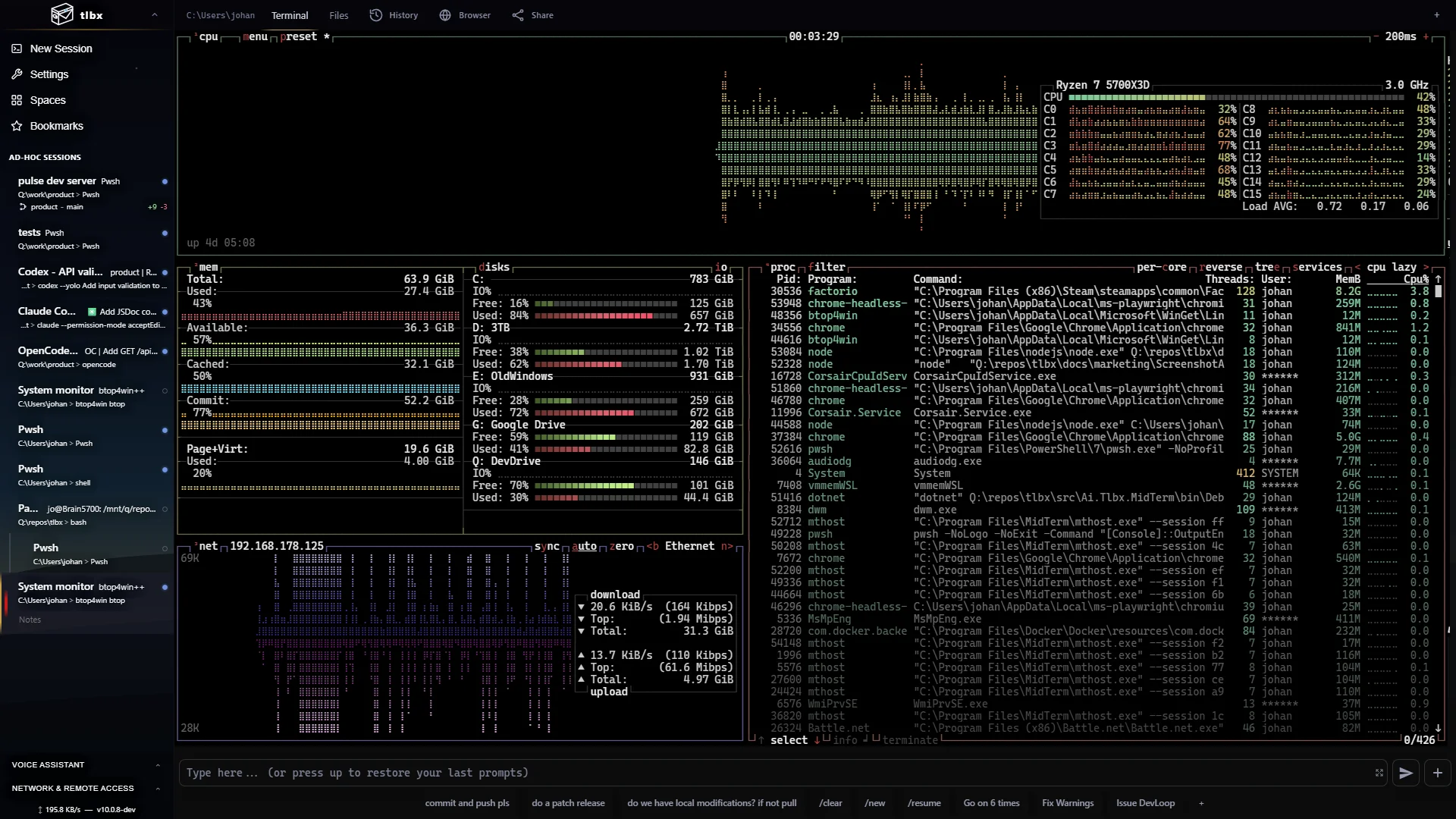
Everyday terminal work
Any shell. Any terminal app.
Use PowerShell, bash or zsh with tools such as vim, btop, lazygit and database shells. Split sessions into panes to watch a build, edit files and run commands side by side.
See the terminal features →Desktop · tablet · phone
Continue from your phone.
Check an agent’s progress, answer a question or read a log from your phone. Touch scrolling, terminal keys and image paste help with quick changes. Open the same sessions when you return to your desk.
On your own machine
Your processes run on your machines.
Install tlbx where your repositories and tools already live. Connect through a trusted LAN or a private VPN such as Tailscale. Your coding agents keep using their configured model providers.
Security & release integrity →